
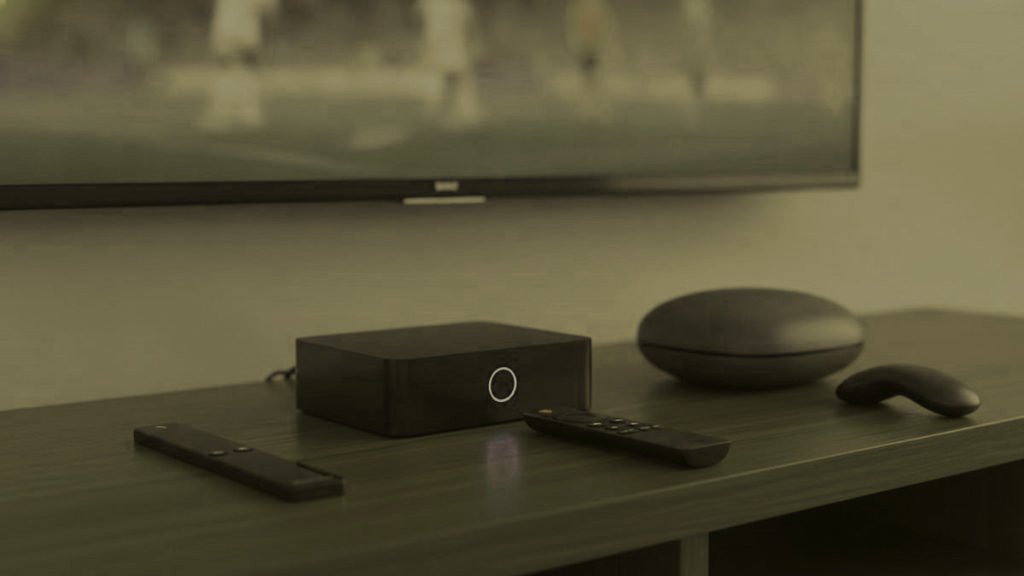
The best hardware for most screens is the hardware already plugged into them, and that is not a cost-saving platitude — it is what the trial usually demonstrates. What follows is organised around a different question than most hardware comparisons: not which device is fastest, but which devices generate support calls and why. One category produces the overwhelming majority, and it is identifiable before you buy.
The short version
Main television watched daily: a Formuler Z11 or an Nvidia Shield, if the current device struggles. Secondary rooms: a Fire TV Stick, or nothing. Avoid unbranded budget Android boxes — they produce more support messages than every other device combined.
Start by finding out what actually struggles
Run the trial on what you own, across the rooms you intend to use. A smart television from 2016 or later, an Android box, an Apple TV, a games console — any is likely fine. The screens that reveal themselves as problems are specific and obvious: a television too old for its store to carry a player, a budget box that stutters above 1080p, or a Roku, which has difficulties regardless of what you plug into it.
Only then spend money, and only on those rooms. Buying hardware before the trial is answering with a hundred and fifty dollars a question a thirty-dollar device answers for free.
The category that generates the calls
Unbranded Android boxes, sold with specifications that are simply untrue. A listing claiming 4 GB of memory on a device containing 1 GB is common enough that we now ask for the model in the first message. Below 2 GB no setting rescues the experience, and the stream gets blamed for hardware that was never adequate.
If you buy one, insist on 2 GB of memory and an ethernet socket, and read the listing as advertising rather than fact. Better: spend the same money on a Fire TV Stick from a manufacturer with a reputation to protect.
The main television: Formuler Z11 Pro Max
At $120 to $180, built for exactly this. A purpose-designed remote, a fast guide, an ethernet socket, and MyTVOnline alongside the ability to run Android players including TiViMate. In a busy household that ethernet socket matters more than any other specification on this page, because the main television is the screen that must not stutter and a cable removes the single largest cause of evening complaints.
A MAG 540 is the alternative if you want the simplest possible appliance with no app store at all, at a similar price. Both bind to a MAC address, which means replacing one requires sending the provider a new MAC — a two-minute job, and a fair reason not to buy several.
The fast option: Nvidia Shield TV Pro
The strongest performer available, handling 4K HDR without complaint, with an ethernet socket and enough headroom to run TiViMate’s multi-view without the stuttering a cheaper device produces. It also costs more than a year of subscription, which is the right way to think about it: a purchase for a household keeping the device five years.
If nobody watches sport and multi-view is irrelevant, it is more machine than the job requires.
Every other room: Fire TV Stick 4K Max
At thirty to fifty dollars, the best value here by a wide margin, and how most households add their second and third screens. It converts a television nobody used into one that counts, installs players through Downloader in about four minutes, and performs perfectly well in a bedroom.
The cheaper Fire TV Stick Lite outputs 1080p only. That reads as a limitation and is arguably what you wanted on a secondary screen, since it removes the temptation to run 4K where nobody can see the difference — bandwidth the main television needed.
Roku, and why not
A good product for the mainstream apps and the wrong purchase for this. It permits no sideloading and its store carries IPTV players only intermittently, which means the experience depends on decisions nobody at your end or ours can influence. If you already own one, add a stick on another input and let the Roku carry on with what it does well.
What actually improves a picture
One intervention beats every hardware upgrade on this page, and it costs about two dollars: putting the main box on an ethernet cable. Wifi contention is the largest single cause of the evening complaints that reach us, and it compounds as more screens run. Where running a cable is impractical, a Fire TV ethernet adapter is about fifteen dollars and does the same job.
Beyond that, hardware limits apply per device rather than across the house. A household moving from two simultaneous streams to three needs more bandwidth and a higher tier, not new boxes, provided each device was already coping with its own single stream.
A realistic budget
Most households reading this need to spend nothing, or thirty to fifty dollars once. A house with an old main television and two usable secondary screens might spend $150 on a Formuler for the room that matters and nothing elsewhere. Replacing every screen with dedicated hardware misunderstands what the subscription is for — it runs on what you already own, and the money is better kept for a higher tier if the household genuinely needs more simultaneous screens.
How long this hardware actually lasts
Longer than people expect, which is an argument against replacing things. A Fire TV Stick from three or four years ago still runs current players perfectly well for an HD screen. Televisions from 2016 still install from their own stores. The devices that genuinely age out are the budget Android boxes, which were underpowered when sold, and sets whose manufacturer stopped updating the app store — after which nothing you install can help.
When something does need replacing, replace only that. The instinct to standardise a household on one kind of device is expensive and buys nothing: a mixed house of a Formuler, two old Firesticks and a Samsung running its own app works exactly as well as five identical boxes, on one set of credentials, for a fraction of the outlay.
What to tell a provider when you ask for advice
The model, the year, and how it connects. Those three facts change the answer completely, and their absence is why hardware questions often take three exchanges instead of one. A symptom on a Shield and the same symptom on a forty-dollar box point at entirely different causes, and the second is far more often the device itself.
A provider who asks for the model before advising is doing the right thing. One who recommends an upgrade without asking is selling rather than diagnosing, which is worth noticing regardless of what they are recommending.
The order that saves money
Trial first, on hardware you already own, across the rooms you intend to use. Identify precisely which screens struggle — usually none, occasionally one. Spend on that screen only, and spend the minimum that solves it: a thirty-dollar stick before a hundred-and-fifty-dollar box, and a two-dollar cable before either.
Households that reverse this order routinely spend several hundred dollars solving a problem they did not have, and then discover the one screen that genuinely struggled still does, because the money went to the rooms that were already fine. The trial costs nothing and answers the question directly, which makes buying before running it the most expensive habit in this entire category.
Frequently asked questions
What is the best box for most people?
A Fire TV Stick 4K Max at thirty to fifty dollars, and for most rooms nothing at all — anything from 2016 that runs apps is fine. Dedicated hardware earns its price only on a main television watched daily.
Which hardware causes the most problems?
Unbranded budget Android boxes, by a wide margin, and usually because the advertised specification was not true. Below 2 GB of memory no setting rescues the experience, and the stream gets blamed for the device.
Is a Formuler or MAG worth $150?
On the television your household watches most, yes: better remote, faster guide, an ethernet socket, nothing to sideload. On a spare-room screen used twice a week, no. One good box and cheap sticks elsewhere is where most people end up.
What single change improves things most?
An ethernet cable to the main box, for about two dollars. Wifi contention causes more evening complaints than every other factor, and it gets worse as more screens run. No hardware upgrade on this page matches it for value.
Does better hardware improve picture quality?
Only where the current device was the limitation — an older stick capped at 1080p will never show a 4K feed. Where a device already handles its stream, a faster one changes responsiveness and guide speed rather than the picture itself.
Can I use a games console?
Indirectly at best. There is no proper IPTV player on the current consoles, so the options are a browser where one exists, or an inexpensive stick on another input. Given a Firestick is thirty dollars, that is usually the shorter path.
Should every room have the same device?
There is no benefit and a considerable cost. A mixed household of one good box, a couple of sticks and a smart television running its own app works identically on one set of credentials, for a fraction of what uniformity would cost.
How do I know whether my current box is the problem?
Play the same channel on a phone or laptop on the same network at the same moment. If that is clean while the box struggles, the box is the limitation rather than the line or the service — and that is a two-minute test that saves buying hardware you did not need.
Ready to watch 25,000+ channels?
Order on WhatsApp and get your login in under 15 minutes. 7-day money-back guarantee.
Related articles
Fixing IPTV Buffering in the Order Our Support Desk Checks It
The six checks our support desk runs when a stream keeps pausing, in the order we run them: Wi-Fi, the device, the…
September 19, 2026IPTV Customer Support, Seen From the People Who Answer It
How to test an IPTV support desk during a free trial: three messages at three different hours, what a useful reply contains,…
September 19, 2026IPTV Not Working? Start With the Symptom, Not the Settings
A checklist sorted by what you actually see: black screens, authorization errors, empty channel lists, a single dead channel, crashing apps and…